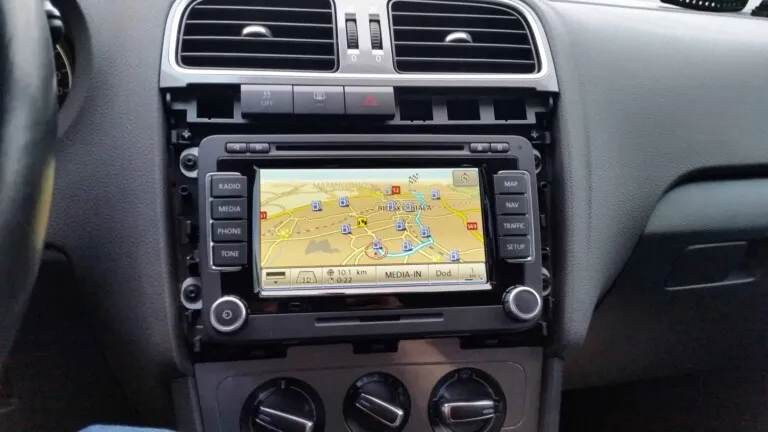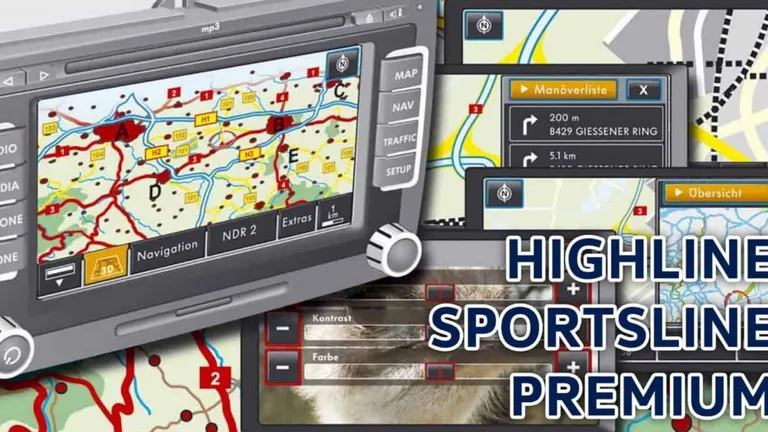
In this article I will try to introduce you to the available themes in the RNS 510 navigation and a simple way to change the skin by encoding using VCDS.
Vehicle-specific user interfaces
Self-study Programme 397 2007 Radio/Navigation Systems / Design and Function
On the RNS 510 radio/navigation system, a large number of the controls appear on the touch screen as described.
Furthermore there are different pre-programmed user interface designs for this system depending on the vehicle type.
There are three different coding variants for the RNS 510 that can be selected and activated with the VAS tester.
The memory requirement for the displays stored for each version is 2Mb each.
There are four different dim values available for all
versions that can be set via the menu.
Available themes on VW RNS 510:
1. Highline
VW Tiguan, Eos, Golf Plus, Sharan NF and Passat

2. Sportsline
Golf R32, Golf GTI, Golf GT, Scirocco and Passat R36

3. Premium
Volkswagen Touran, T5 Multivan, Touareg, Caddy and CC/Coupe

Change the theme on RNS 510
How to change the theme of your RNS510 using VCDS?
- Coding
- 56 – Radio
- Coding – 07
- Long Coding Helper
- Byte 4
- Drop-down menu for Bit 4-5:
- 00 – Display Variant: Highline
- 10 – Display Variant: Sportsline
- 20 – Display Variant: Premium
- When all settings are changed, click exit. A prompt will display with the new coding and an option to Cancel or “DO IT”. Select “DO IT” to save your changes. A prompt should then appear to alert if your changes were saved or not.
- Restart your RNS-510
How to reset the RNS 510 navigation unit?
To reset RNS5 10 press the “<“, “>” and “star” or “speaker button” at the same time.